There are a few things that you need to know before beginning.
1. Your computers IP address.
2. The port numbers and port types you need opened for the game.
3. Your password for logging into your router.
Once you have those pieces of information you are ready to begin. Open your web browser and in the address bar type: 192.186.1.1 Next you should see your router login window .
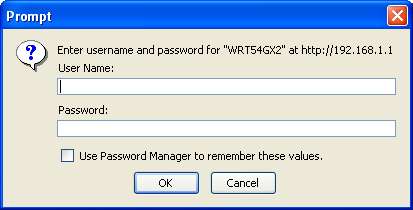
Leave the user name blank and enter your routers password and click ok. This should open the setup panel in for your router Go to the Applications and Gaming panel.
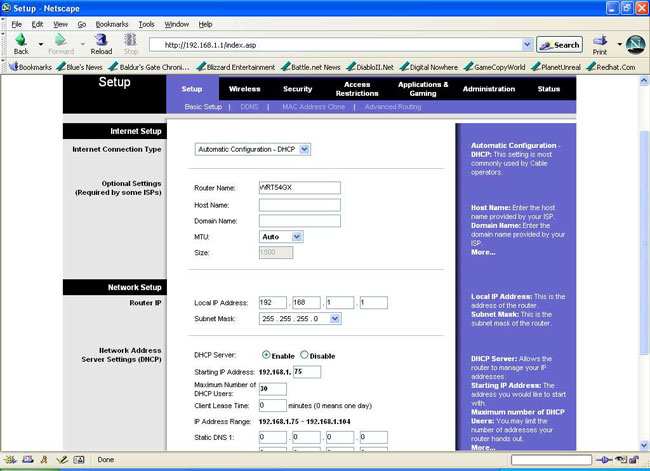
Now its time to enter your information. Half Life 2 Dedicated server requires that these ports be opened.27000-27015, 27020-27050 and 1200 for the friends network.
Enter these values.
| Application |
Start |
End |
Protocol |
IP
Address |
Enable |
| HL2SteamServer1 |
27000 |
27015 |
Both |
192.168.1.xxx |
check |
| HL2SteamServer2 |
27020 |
27020 |
Both |
192.168.1.xxx |
check |
| HL2SteamServer3 |
1200 |
1200 |
Both |
192.168.1.xxx |
check |
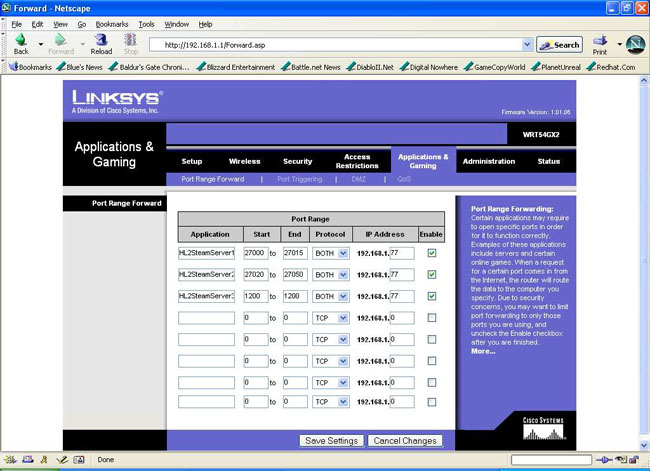
Save your settings and you should be able to set up an internet Half Life 2 Dedicated server
and be seen by others.